GPS track recording
Customize the Step Length from 10–200 meters, support Flat and Satellite maps, and display distance, steps, elevation gain, and duration.
 "Journey GPS Tracker" · iPhone / iPad / Apple Watch
Use GPS to record walking, cycling, running, and travel routes. View distance, steps, altitude, and duration, and bring back the places and photos you encountered along the way.
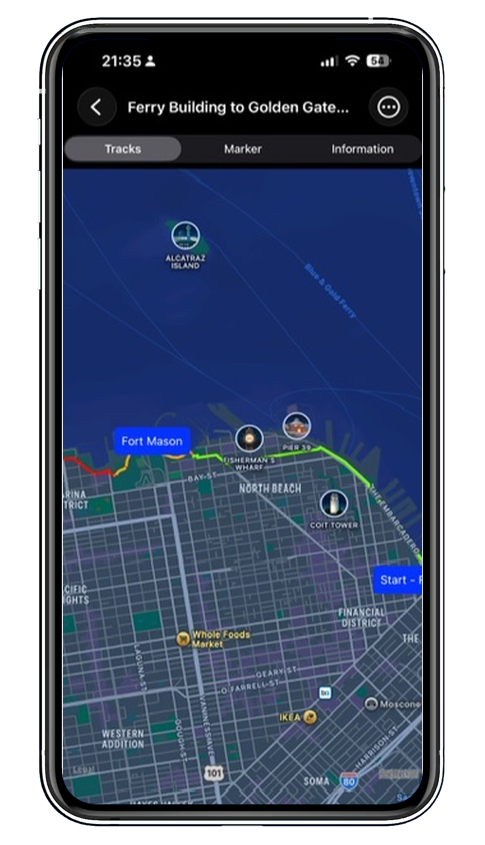
The route changes from green to yellow and then to red according to speed, so you can understand your movement throughout the journey at a glance.
From departure to review, save the spatial clues, activity data, and important moments from your journey.
Customize the Step Length from 10–200 meters, support Flat and Satellite maps, and display distance, steps, elevation gain, and duration.
Save destinations, calculate distance, view weather, Street View, and nearby facilities, and plan Walking, Driving, Bicycle, or Public Transportation routes.
Add a marker at your current location and attach photos, turning a point on the map back into a real memory.
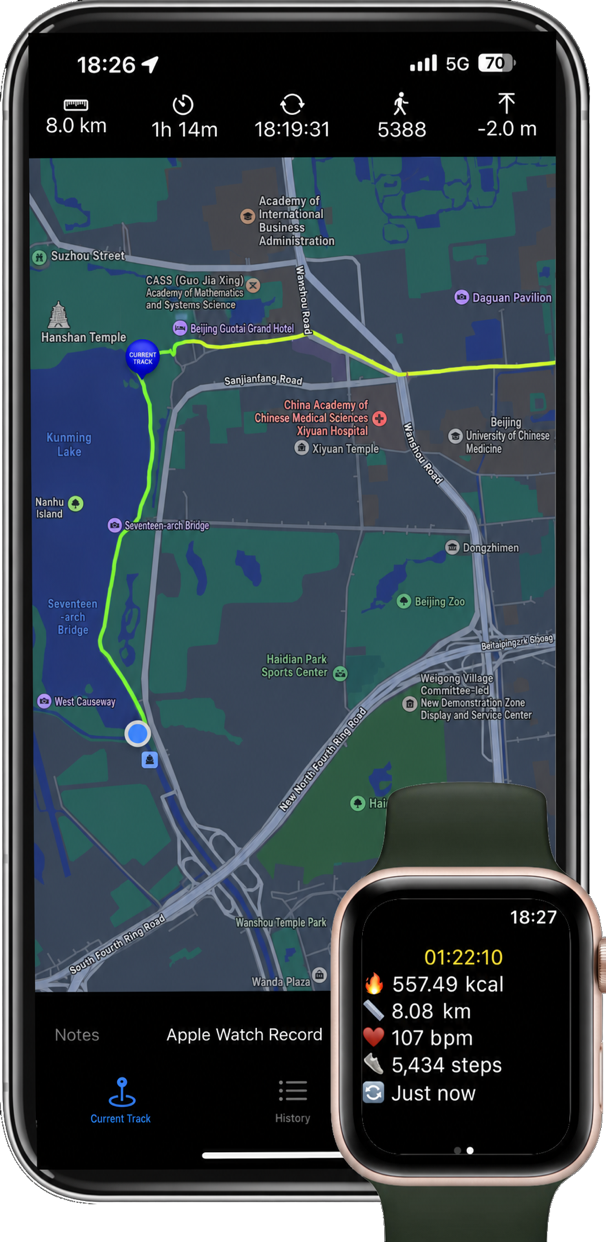
Choose Walking, Running, Cycling, or hiking from Apple Watch to start recording. Even if the iPhone app is temporarily closed, the watch will continue collecting data; open the phone again to view the live track on the large map.
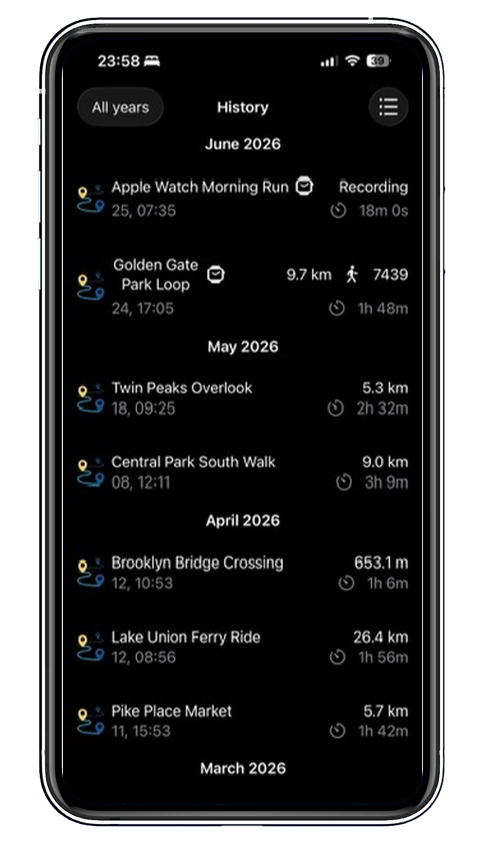
History organizes route names, dates, distances, and durations by month. You can merge multiple tracks, cut a selected range, and use a previous route as a reference for your current trip.
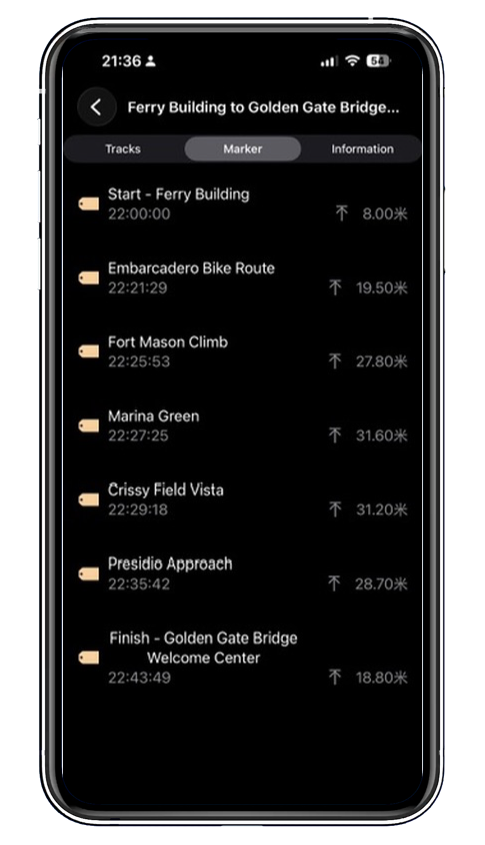
Add names, notes, and photos to sights along the way. When you open a historical track later, the time, altitude, and images will still be there.
Record your next journey on iPhone, iPad, and Apple Watch.